Choosing between WordPress and a custom website is not a test of which technology is more modern. It is an operating decision. The right platform should let your team publish and manage content, support the workflows customers need, integrate with the systems you use, and remain maintainable at a cost the business can sustain.
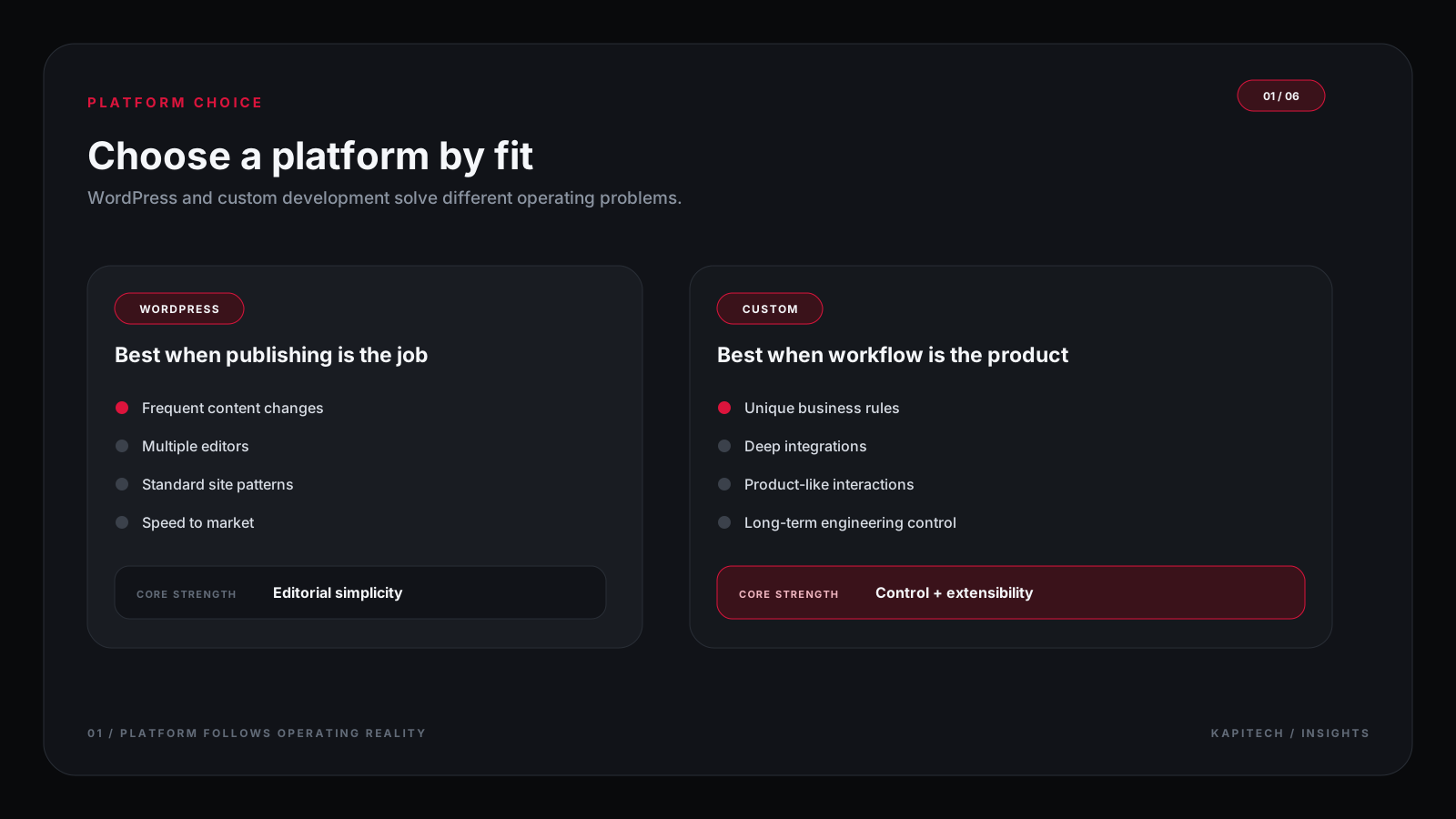
WordPress powers many content-led websites because it provides a familiar publishing model and a large ecosystem. Custom development can be a better fit when the website behaves more like a product or business system than a set of pages.
Article key takeaways
The ideas worth carrying forward.
- WordPress is a strong option for many content-led websites when the theme, plugin, and operating model fit the requirements.
- Custom development is most useful when workflows, integrations, permissions, or product behaviour do not fit a standard platform well.
- Neither option guarantees speed, security, accessibility, or maintainability; implementation and ongoing ownership matter.
- Compare total cost of ownership, including licenses, updates, hosting, support, and future changes.
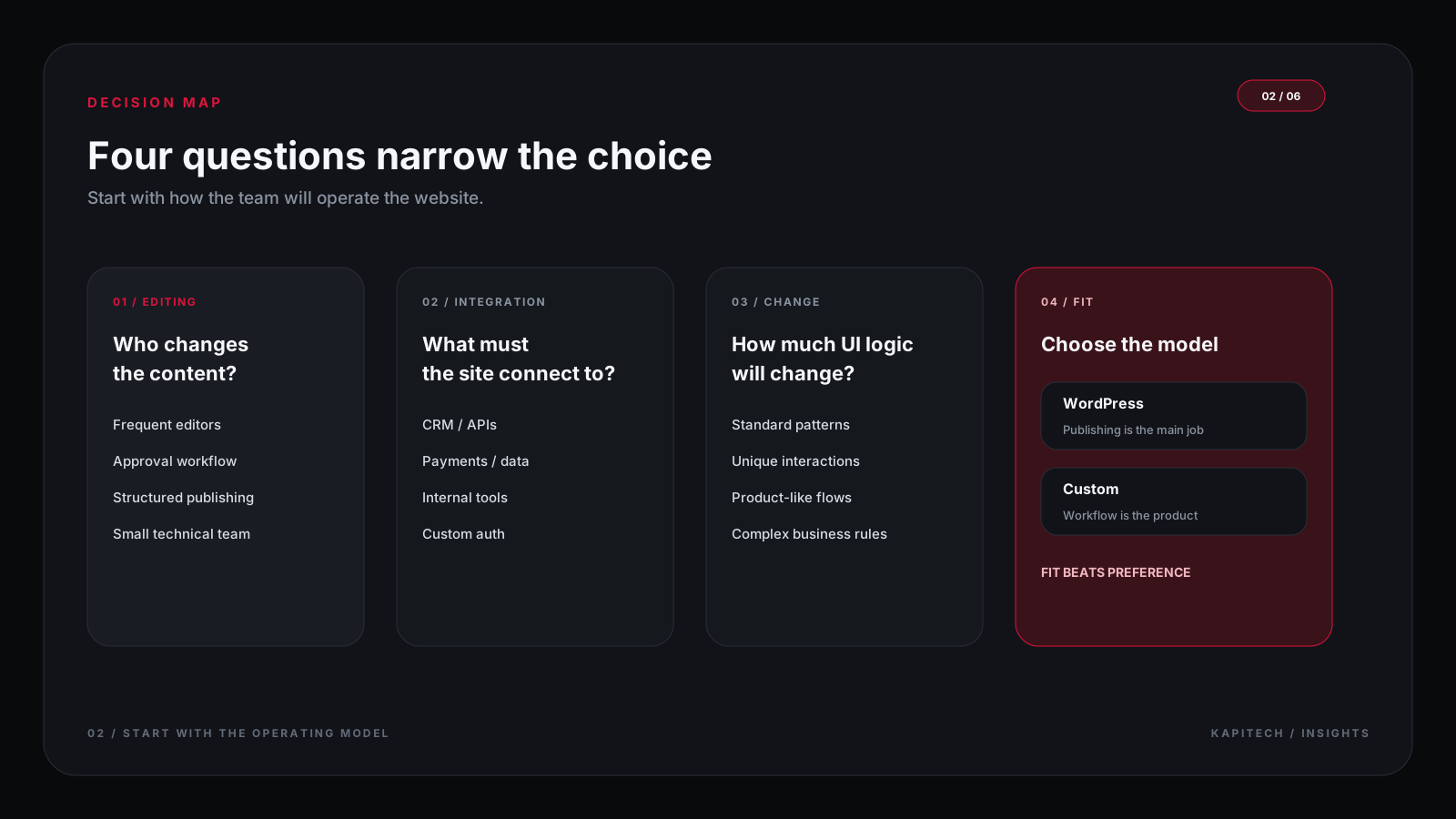
- Start from the business requirements and select the simplest platform that can meet them reliably.
WordPress vs custom website at a glance
Swipe to compare
3 columns| Decision factor | WordPress often fits when | Custom development often fits when |
|---|---|---|
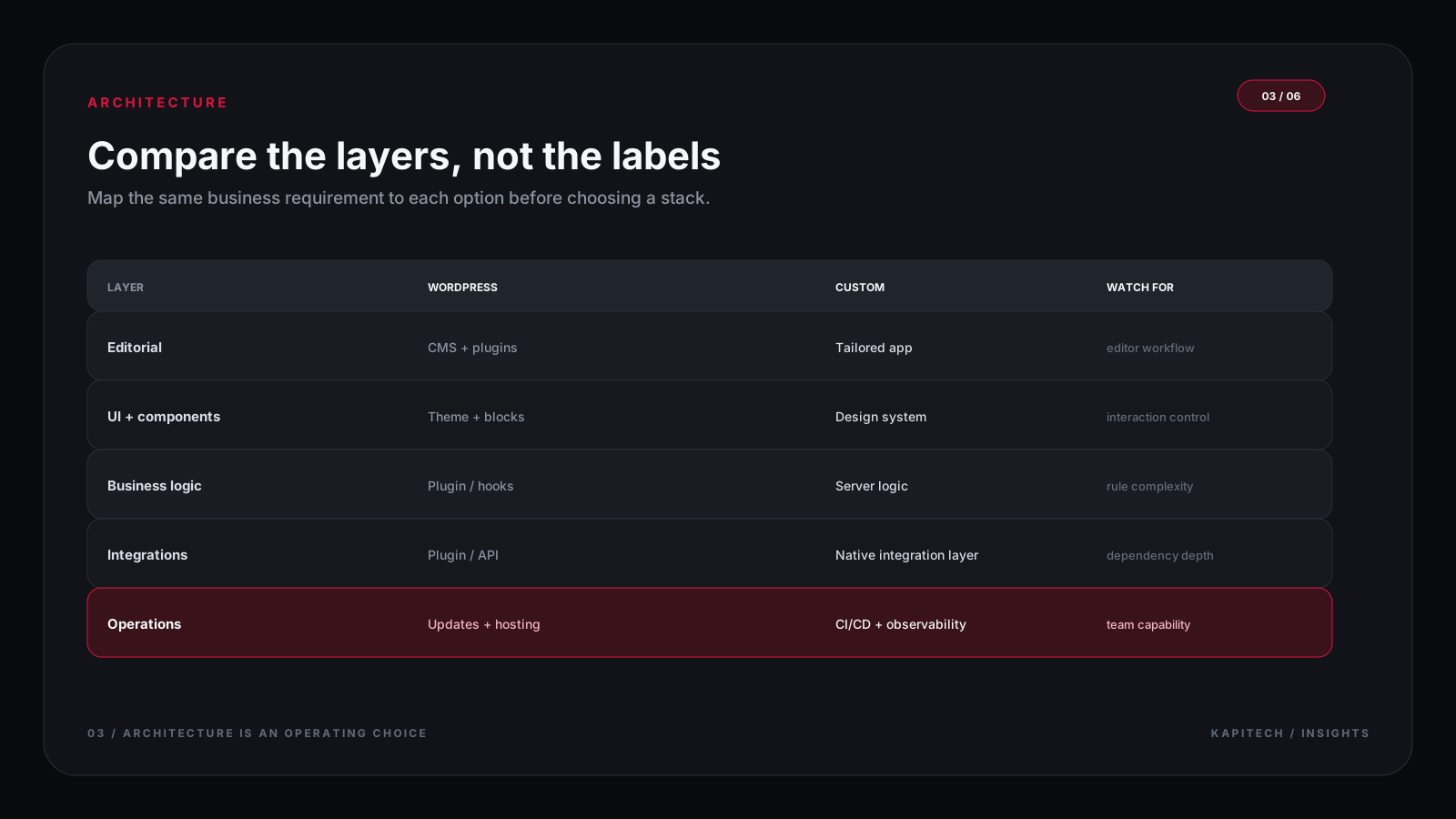
| Publishing | Editors need standard pages, posts, categories, and familiar workflows | Content is tightly connected to structured product data or complex roles |
| Features | Existing plugins cover the required workflow with acceptable quality | Business rules or user journeys are distinctive and cannot be maintained cleanly with plugins |
| Integrations | Connections are common and supported | Integrations have custom contracts, permissions, or data-processing requirements |
| Ownership | The team can manage platform, plugin, and hosting updates | The team needs explicit control over application architecture and release process |
| Budget | A proven theme or pattern reduces initial build work | Higher upfront engineering is justified by product behaviour or future operating needs |
Where WordPress is a strong fit
Content teams need a manageable publishing workflow
WordPress is useful when marketing or communications teams publish pages, articles, announcements, landing pages, and media without asking developers to change every section. Its ecosystem can cover common needs such as forms, editorial roles, search, and SEO controls when plugins are carefully selected.
The required features are standard and well-supported
A stable plugin can be more economical than building an equivalent feature from scratch. The important question is whether the plugin is maintained, compatible with the rest of the stack, secure, accessible, and supported by a team that can respond when it breaks.
The team can own routine maintenance
WordPress does not remove technical responsibility. Core updates, plugins, backups, access controls, monitoring, and regression testing still need an owner. A low initial build cost can become expensive when no one is responsible for maintenance.
When custom development makes sense
The website includes product-like workflows
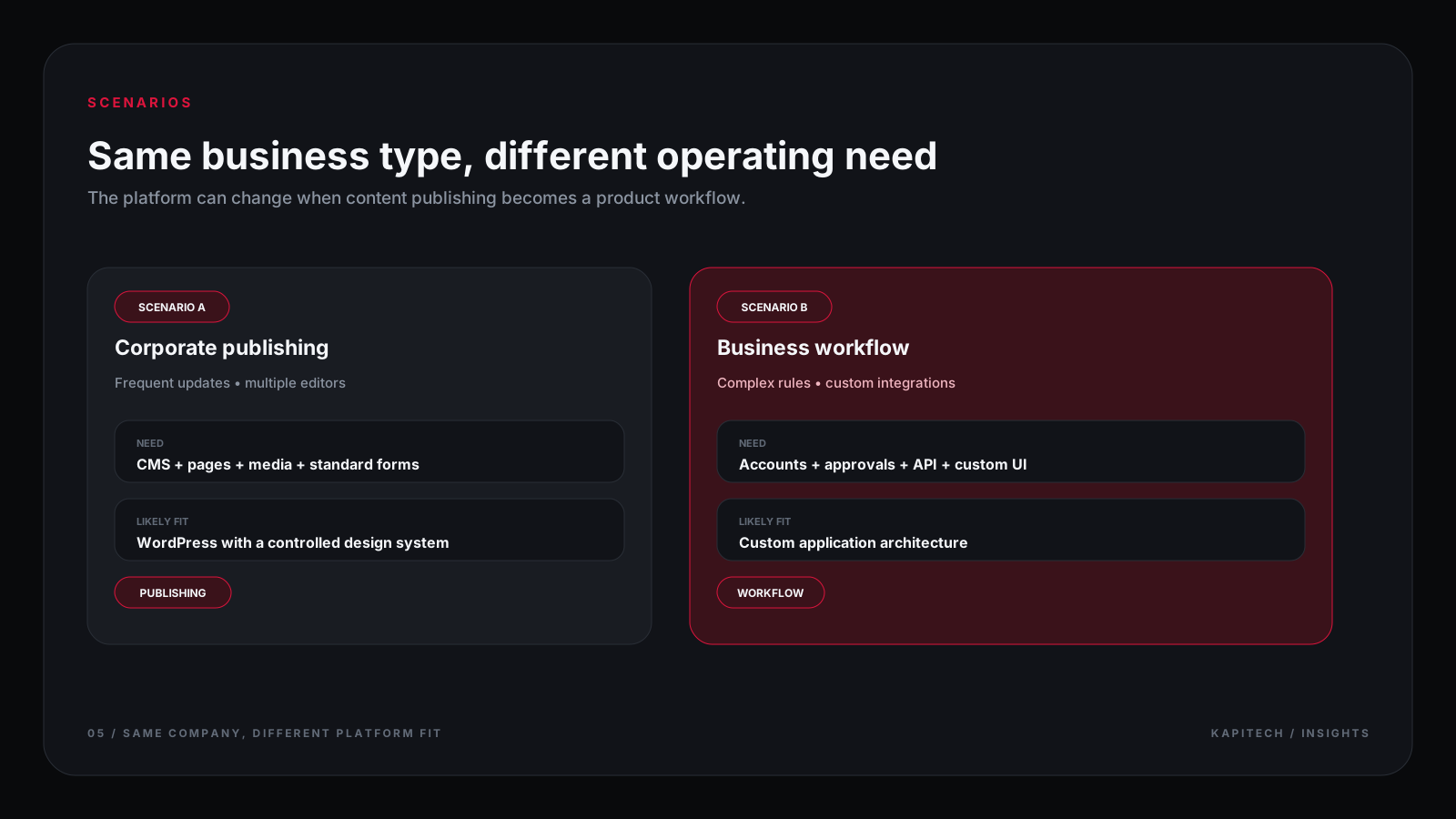
Custom development becomes relevant when users must configure products, manage accounts, submit complex applications, move through approval stages, view personalized data, or interact with rules that differ across customer groups. These behaviours need a clear application model, not just more pages.
Integrations and permissions are part of the core product
If your website must exchange data with internal systems, respect complex permissions, or handle failures predictably, the architecture should be designed around those contracts. Custom development gives the team direct control over validation, state, error handling, and testing, but also gives the team responsibility for maintaining them.
The business needs a controlled path for future change
A custom codebase can make complex requirements easier to reason about when it has documented boundaries, automated tests, and disciplined releases. It can also become a liability if the implementation is tightly coupled, undocumented, or dependent on a single developer.
Evaluate cost across the full lifecycle
Compare the first delivery and the cost of ownership separately. WordPress may require paid plugins, hosting, maintenance, security review, and periodic compatibility work. A custom solution may require more engineering at the beginning plus ongoing technical support, monitoring, and planned improvements.
Swipe to compare
2 columns| Cost area | Questions to ask |
|---|---|
| Initial delivery | What design, templates, content, integrations, and testing are included? |
| Recurring services | Which plugins, licenses, hosting services, or third-party APIs need renewal? |
| Maintenance | Who updates the platform, dependencies, backups, and security controls? |
| Change requests | How are new features estimated and approved? |
| Handover | Will the team receive source files, access credentials, documentation, and training? |

Performance, security, and accessibility depend on implementation
WordPress can be fast and secure when themes and plugins are chosen carefully, pages are optimized, and updates are managed. Custom code can also be slow or vulnerable when it lacks testing, sensible caching, input validation, or secure access control. The platform name is not a substitute for engineering practice.
For either approach, establish measurable requirements for page speed, keyboard access, form validation, error states, data protection, backups, and recovery. Confirm how those requirements will be tested before launch.
A practical decision process
- Write the user journeys and business rules the website must support.
- Separate content-management needs from application behaviour.
- Check whether a reliable platform feature or maintained plugin already satisfies each must-have.
- Prototype the risky integrations or workflows before committing to the architecture.
- Estimate build cost and three-year operating cost separately.
- Confirm who will own security, content publishing, deployment, and future changes.
Conclusion: choose the simplest system that fits
WordPress is not automatically a shortcut, and custom development is not automatically superior. Choose WordPress when its publishing model and supported features meet the requirements. Choose custom development when the product's workflows, integrations, or control needs justify the additional engineering. In both cases, plan for ownership and change from the beginning.